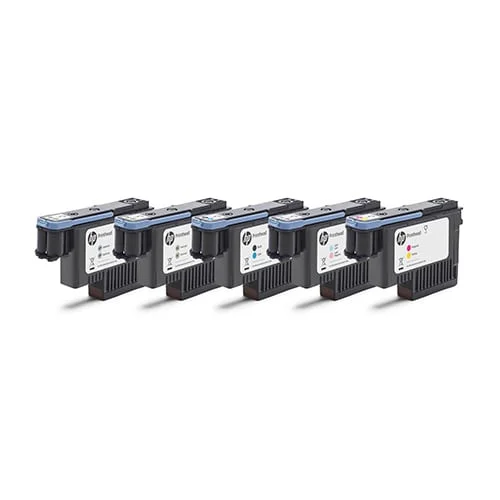
HP Latex 836 Thermal Inkjet Printhead
HP Latex 836 Thermal Inkjet Printheads power the latest generation of HP Latex production printers, including the HP Latex 700, 700W, 800, 8...
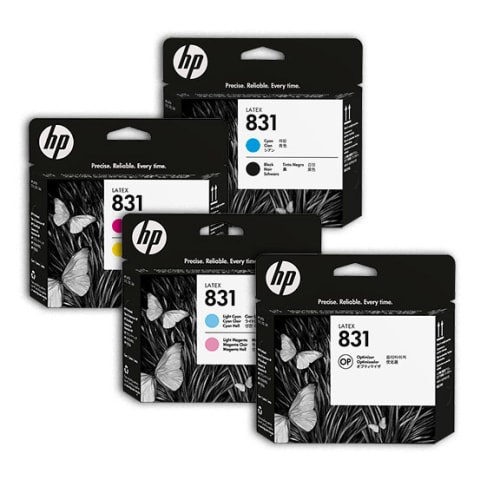
Genuine HP Latex 836 & 831 High-Resolution Thermal Inkjet Printheads
In high-volume commercial wide-format printing, printhead reliability determines the boundary between seamless production and catastrophic machine downtime. HP Latex thermal inkjet printheads feature micro-machined fluidic chambers with 1,056 nozzles per color channel running at a native 1200 dots per inch.
Unlike legacy piezo wide-format printers that require service calls costing thousands of dollars when a printhead clogs or strikes media, HP Latex technology features user-replaceable printhead assemblies. Shop operators can replace an exhausted head in under two minutes with zero tools, restoring factory-fresh nozzle performance instantly.
BendiShop stocks 100% genuine factory-sealed HP 831 and HP 836 printheads across all color configurations, including Cyan/Black, Magenta/Yellow, Light Cyan/Light Magenta, Optimizer, Overcoat, and recirculating White printheads.
Identify the exact printhead required for your HP Latex printer model:
| Printhead Series | Compatible Printers | Available Color Channels | Nozzle Density | White Recirculation |
|---|---|---|---|---|
| HP 836 Series | HP Latex 700, 700 W, 800, 800 W, 630, 630 W | Cyan/Black, Magenta/Yellow, Lc/Lm, Optimizer, Overcoat, White | 1200 DPI Native | Yes (Built-in) |
| HP 831 Series | HP Latex 110, 310, 315, 330, 335, 360, 365, 370, 560, 570 | Cyan/Black, Magenta/Yellow, Lc/Lm, Optimizer | 1200 DPI Native | No (CMYK+Opt) |
Direct OEM rolls and certified supplies available with same-day commercial shipping.
HP Latex 836 Thermal Inkjet Printheads power the latest generation of HP Latex production printers, including the HP Latex 700, 700W, 800, 8...
HP 831 Latex Printheads are the proven production workhorse powering thousands of commercial print shops operating HP Latex 300 series (315,...
Standard shop workflows engineered to prevent warranty claims, adhesive pop-out, and visual defects.
Select "Replace Printhead" on the printer touchscreen. The carriage moves to the central service station. Lift the carriage lid and unlatch the blue printhead cover.
Lift the spent printhead straight up by its handle. Inspect the carriage bay cavity for stray ink droplets.
Remove protective caps from the new genuine HP printhead. Slide into the keyed slot and lock the carriage latch firmly.
Close the printer window. The printer automatically runs drop detection, wipes the faceplate, and performs automated optical alignment.
HP Latex printheads utilize proprietary thermal drop-on-demand jetting. An electrical current pulses through microscopic thin-film resistors, vaporizing a microscopic bubble of ink that ejects a 12-picoliter droplet at extreme velocity. This thermal process fires thousands of droplets per second with sub-micron spatial accuracy.
During automated maintenance routines, the printer onboard Optical Drop Detector (ODD) fires light beams across the nozzle path to test every single nozzle. If an individual nozzle is clogged or misdirected, the printer internal firmware dynamically re-assigns redundant nearby nozzles to fill the missing dot positions during multi-pass printing, preventing visible streaks or banding.
For white ink models (HP 836 White Printhead for Latex 700W/800W), the printhead incorporates continuous fluid recirculation ports. White ink is constantly circulated through the internal manifold to prevent heavy titanium dioxide pigments from settling, ensuring clean nozzle firing even after days of idle standby.
Achieving photographic print quality, vibrant chromatic saturation, and maximum outdoor service life on hp latex printheads requires precise synchronization between the RIP raster engine, ink deposit volume, curing heat profiles, and paired overlaminates. When using BendiRIP, operators gain access to certified native color profiles that optimize drop placement and limit excessive ink loads. Over-inking vehicle media or banner substrates leads to prolonged outgassing cycles, ink re-tack, and localized adhesion failure.
For digital sign shops producing commercial fleet markings and outdoor signage, always observe the 24-hour outgassing requirement when printing on solvent or eco-solvent hardware. Un-outgassed volatile organic compounds (VOCs) trapped beneath an impervious overlaminate will soften the pressure-sensitive acrylic adhesive, causing severe clouding, tunnel delamination, and adhesive bubbling in direct sunlight. Conversely, HP Latex ink platforms polymerize instantly in the curing module platen, allowing finished graphics to transition directly to the cold roll laminator without drying racks.
Ensure roll tension is properly calibrated on your feed and take-up assemblies. Uneven feed drag induces diagonal media skew and media wrinkling inside the platen area, risking catastrophic printhead strikes that ruin both the print substrate and thermal nozzle plates. Consult the BendiRIP hardware integration utility to automatically synchronize media advance factors (OPI / OMAS) for every roll in our catalog.
High-volume commercial sign production requires rigorous process discipline to maintain repeatable chromatic fidelity and mechanical bond strength across multiple rolls. When processing hp latex printheads, production supervisors should implement pre-flight verification covering incoming media lot inspection, platen humidity monitoring, and automated printhead nozzle health testing. A single uncorrected clogged nozzle can manifest as micro-banding across hundreds of square feet of finished graphics, resulting in costly waste and missed installation deadlines.
Environmental stability is vital for digital media dimensional integrity. Calendered and cast PVC films, scrim banners, and polyester textiles expand and contract in response to ambient thermal fluctuations and moisture gradients. Maintain print production environments at 68°F to 74°F (20°C to 23°C) with stable 45% to 55% relative humidity. When receiving rolls during severe winter or summer transport, enforce a mandatory 24-hour acclimatization window inside the print room prior to slicing shrink-wrap. Unrolling cold media onto hot printer platen heating elements causes immediate platen condensation, localized media cockling, and severe ink droplet coalescence.
Establish strict take-up tension calibration for all continuous production runs. Over-tensioning take-up reels stretches elastic cast films and lightweight banner media around the windup mandrel. When finished graphics are subsequently sheeted and cut on cutting tables, the stretched elastic vinyl recovers, inducing curl along panel perimeters. Utilizing BendiRIP automated media feed compensation (OMAS optical calibration) ensures micro-step accuracy and zero media skewing across full 50-yard roll runs.
Profitable sign shop operations depend on maximizing square-footage yield per roll and minimizing consumable waste. When nesting multi-panel vehicle wraps or large banner layouts in BendiRIP, utilize the automated true-shape nesting engine to rotate and interlock irregular vector shapes. Strategic nesting can improve substrate utilization by 18% to 27%, directly reducing media expenditure per job.
Always account for bleed, overlap margins, and cutter registration lead-in when estimating yardage requirements for hp latex printheads. For multi-panel architectural wall murals and fleet box wraps, standard industry practice specifies a 0.5-inch to 1-inch panel overlap with matched vertical tile alignment. Failing to calculate panel overlap during media quoting leads to short rolls and costly emergency shipping fees.
Implement barcode tracking for partial rolls. Every time a roll is removed from the printer spindle with remaining yardage, generate a BendiStudio inventory tag indicating the exact footage remaining. Storing tagged partial rolls vertically in dedicated suspension racks protects valuable inventory from edge impact damage, dust contamination, and accidental obsolescence.
Direct operational guidance addressing real-world sign shop installation, curing parameters, and substrate selection.
Under typical commercial shop conditions, HP Latex printheads reliably fire 2 to 5 liters of ink before nozzle efficiency drops below acceptable thresholds.
No. HP 836 printheads are strictly designed for newer HP Latex 700, 800, and 630 series printers. The 300 and 500 series machines require HP 831 printheads.
The Optimizer printhead jets a clear fluid that reacts with ink pigments, fixing them instantly on the vinyl surface to eliminate bleeding and coalescence during high-speed printing.
No. Bare fingers deposit skin oils that disrupt electrical signals. If contaminated, gently clean contacts with an approved dry lint-free foam swab.
The onboard Optical Drop Detector scans nozzles before print runs. If a dead nozzle is found, the firmware re-maps surrounding nozzles to cover the gap during multi-pass printing.
Media head strikes (caused by curled banner edges or warped vinyl platens) scrape the microscopic nozzle plate, physically deforming orifices and requiring head replacement.
Factory-sealed in vacuum packaging, printheads maintain 18 to 24 months of shelf life when stored between 59°F and 86°F (15°C to 30°C).
Yes. We stock genuine HP 836 White printheads (HP part # 4UU93A) ready for same-day dispatch.