
Roland VersaWorks 6 Alternative: Unlocking Multi-Brand HP Latex, Mimaki & Roland Fleet Control
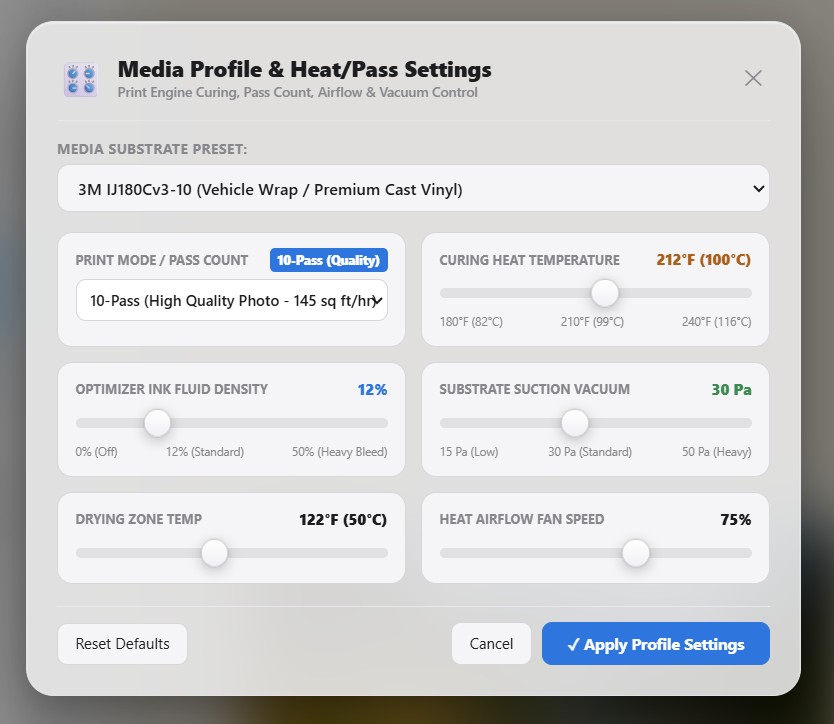
1. The "Walled Garden" Crisis of Roland VersaWorks
For over two decades, Roland DG has bundled VersaWorks (and its recent iteration, VersaWorks 6) with its fleet of eco-solvent, UV-LED, and textile printers. For a single-operator sign shop running exclusively on a Roland TrueVIS VG2, SG3, or legacy SolJet Pro, VersaWorks is familiar and costs nothing up front.
However, commercial print shops rarely stay single-brand forever. As shops expand to meet client deadlines, they inevitably acquire specialized production machinery: an HP Latex 570 for instantaneous outgassing-free vehicle wraps and wall graphics; an Epson SureColor S80600 for wide-gamut 9-color packaging mockups; a Mimaki JFX200 UV flatbed for rigid acrylic signage; or a standalone Graphtec FC9000 or Summa S Class 3 friction-feed cutter.
The moment a non-Roland printer arrives on the shop floor, VersaWorks creates an operational dead end. Because VersaWorks is hard-coded to communicate only with Roland devices over Ethernet and USB, shop owners are forced into one of two painful traps:
- The Dual-RIP Silo: Running VersaWorks on one workstation for Roland equipment, while paying exorbitant monthly subscriptions ($60–$140/mo) for SAi FlexiPRINT or Onyx Thrive on another PC just to drive the HP or Epson machines. Prepress operators must manually duplicate job settings, cross-reference color profiles, and maintain separate nesting workflows.
- Color Inconsistency Across Brands: Roland VersaWorks uses a proprietary color management pipeline tuned specifically to Roland Eco-Sol MAX and TrueVIS TR2/TR3 inks. Attempting to match fleet colors between a Roland print and an HP Latex panel using two distinct RIP color engines frequently results in visible ΔE shifts across adjacent tiling seams.
In a survey of commercial print facilities operating mixed fleets (Roland + HP Latex or Epson), operators reported losing an average of 4.2 hours per week juggling disparate RIP interfaces, re-exporting cut contour files, and troubleshooting color mismatches between distinct raster engines.
2. BendiRip vs. Roland VersaWorks 6: Comprehensive Comparison
BendiRip was engineered from the ground up as a universal, multi-vendor commercial RIP suite. By combining native hardware spooling drivers for Roland, HP Latex, Epson SureColor, and Mimaki with the cutting-edge LittleCMS 2.16 color engine and BendiCut contour automation, BendiRip bridges the gap between different hardware manufacturers.
| Production Capability | Roland VersaWorks 6 | BendiRip Suite |
|---|---|---|
| Multi-Brand Fleet Spooling | Roland hardware only (locked) | Universal (Roland, HP Latex, Epson, Mimaki) |
| Software Cost & Licensing | Bundled with Roland (free for Roland only) | Perpetual lifetime license (zero subscriptions) |
| Color Engine Architecture | Proprietary Roland CMM / APPE engine | LittleCMS 2.16 + 16-Bit Precision Color Pipeline |
| Contour & Perf-Cut Automation | Requires strict Spot Channel naming (`CutContour`) | Universal BendiCut (automatic vector edge & layer detection) |
| Standalone Cutter Support | Roland cutters only (CAMM-1, TrueVIS) | Full Graphtec (GP-GL/HP-GL), Summa (DMPL), Roland (PNC) |
| Network Multi-Seat Queuing | Local Windows client; sluggish network sharing | Native WebGL + WebSocket LAN queue for unlimited PCs |
| True-Shape Nesting & Bleed | Basic rectangular bounding-box nesting | Advanced polygonal vector nesting with auto-bleed margins |
| GPU Acceleration | CPU-bound software rasterizer | Hardware GPU WebGL 2.0 fragment shader acceleration |
3. The Prepress Bottleneck: CutContour vs. Universal BendiCut
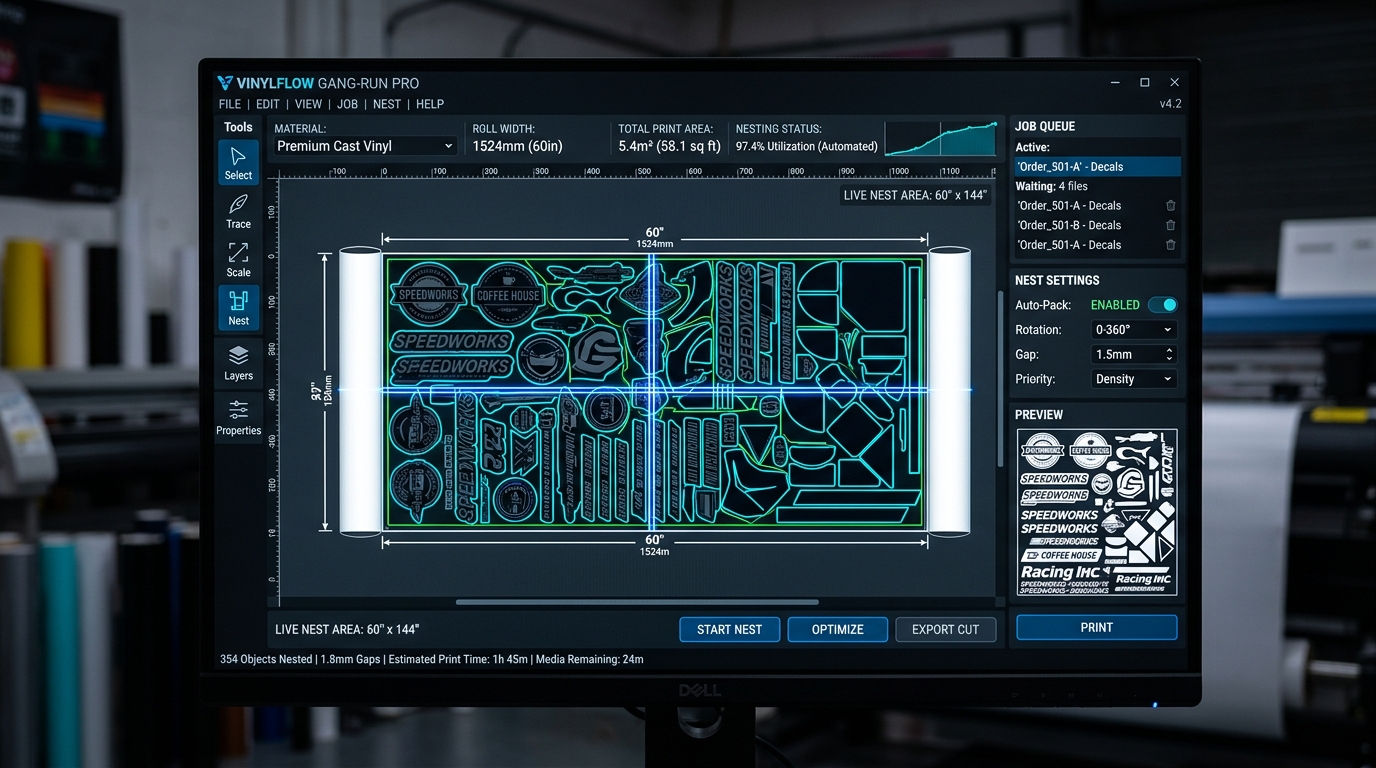
Every prepress technician who has operated VersaWorks knows the frustration of the missing "dancing ants" cut preview. In VersaWorks, contour cutting requires graphic designers to construct a 100% magenta vector stroke specifically named CutContour or PerfCutContour as a Spot Color channel in Adobe Illustrator or CorelDRAW.
If an outside client submits a PDF where the stroke is named "Cut Contour" (with a space), "CutLine", or is saved as a CMYK process color, VersaWorks fails silently. The file prints without registering the cut path, forcing operators to halt production, reopen Illustrator, rename the swatch, re-export, and reload the queue.
BendiRip and BendiCut eliminate this friction entirely:
- Arbitrary Spot Name Remapping: BendiRip inspects incoming PDF/X-4 and EPS layer metadata. Any spot color—whether named "ThruCut", "DieLine", "Score", or "CutContour"—can be remapped to a Kiss-Cut or Perforated-Cut action with a single click inside the RIP preview.
- Dynamic Bleed Generation: BendiCut can automatically extrapolate edge pixels outward by 2mm–5mm around complex die-lines, preventing unsightly white slivers on decals even if mechanical vinyl drift occurs during high-speed cutting.
- Dual-Action PerfCut with Micro-Tabs: On TrueVIS print-and-cut or standalone friction-feed cutters, BendiCut calculates customizable micro-bridge tabs (e.g., 0.5mm tabs spaced every 30mm) ensuring that die-cut decals stay affixed to the backing roll during winding without jamming the carriage.
4. Color Fidelity: Bridging Roland TR2/TR3 Inks with HP Latex & Epson
Color consistency across mismatched hardware is the Holy Grail of wide-format printing. When a commercial shop prints 40 linear feet of wall mural panels where odd-numbered panels are routed to an HP Latex 365 (to beat an urgent deadline) and even-numbered panels are run on a Roland TrueVIS VG3-540, any difference in neutral grays, corporate brand reds, or deep skin tones renders the entire job scrap.
VersaWorks cannot manage external ICC profiles for competing printheads. In contrast, BendiRip utilizes an open-architecture LittleCMS 2.16 rendering engine with 16-bit floating-point precision:
- Standardized Device-Link Profiling: BendiRip standardizes all incoming RGB and CMYK vectors against the ISO 12647-7 / GRACoL 2013 target color space before translating them to device-specific output profiles.
- Spectral ΔE Matching for Spot Colors: The built-in Pantone® PMS spectral lookup table calculates the minimal Delta-E 2000 distance for your exact Roland Eco-Sol MAX or HP 831 ink set, guaranteeing predictable brand color reproduction across machines.
- Independent Dot Gain & Linearization Curves: Rather than hiding linearization behind closed OEM profiles, BendiRip gives press technicians direct control over primary ink limits, total ink coverage (TIC), and per-channel dot gain compensation.
5. 4-Step Migration: Transitioning from VersaWorks to BendiRip
Transitioning your shop floor to BendiRip does not require retiring your existing Roland printers or re-training your staff on complicated Unix tools. Follow this streamlined deployment process:
Assign static IP addresses to your Roland TrueVIS/SolJet printers and your auxiliary HP Latex or Epson machines. In BendiRip, enter the target IP and select the native raw socket port (typically port 9100 for HP/Epson or Roland Ethernet controller port 5000/9100). BendiRip instantly queries device status, head health, and roll width sensors over bidirectional SNMP.
BendiRip directly imports standard ICC output profiles (.icc/.icm) from your existing VersaWorks media library. You can continue running your calibrated profiles for 3M IJ180Cv3, Avery Dennison MPI 1105, or Oracal 651 with zero recalibration required.
Select your cutting mode: Integrated Roland Print & Cut, Roland CAMM-1 plotter, or external Graphtec/Summa unit. BendiRip automatically embeds standard 4-point optical crop marks (or Roland's native 3-point sensor targets) with accompanying 1D barcodes for automatic job retrieval on the cutter.
Drop high-resolution PDF/X-4 files directly into the BendiRip hot folder. The GPU-accelerated engine rasterizes panels in seconds, spooling banner runs to your HP Latex, high-detail fine-art canvas to your Epson, and contour-cut vinyl decals to your Roland TrueVIS simultaneously.
Unify Your Shop's Fleet Under BendiRip Today
Stop paying thousands in recurring software fees and break free from single-brand hardware lock-in. Experience true multi-printer commercial production.
Explore BendiRip Free Download & Tour →Frequently Asked Questions
1. Roland DG Corporation. VersaWorks 6 Operation Guide & Technical Specifications (2024).
2. International Color Consortium. ICC Profile Specification v4.3.0.0.
3. Marti Maria. LittleCMS 2.16 Open Source Color Engine Documentation (2024).
4. Fogra Graphic Technology Research Association. FOGRA51 / FOGRA52 Characterization Data and Spectral Match Tolerances.