
PDF/X-4 Rasterization Accuracy: BendiRip vs. SAi FlexiPRINT
1. The Prepress Revolution: From PDF/X-1a Flattening to PDF/X-4
For over two decades, commercial sign shops relied on the rigid constraints of the PDF/X-1a:2001 standard. In that legacy workflow, graphic designers were required to "flatten" all transparencies, drop shadows, and opacity masks before dispatching files to the RIP. This flattening process mathematically chopped vector graphics and raster imagery into a complex mosaic of thousands of tiny, opaque abutting tiles.
On modern high-resolution wide-format printers, this obsolete flattening technique routinely causes two catastrophic artifacts:
- "Stitching Lines" (Hairline Gaps): Tiny, visible white or semi-transparent hairline fractures that appear along the boundaries of flattened tiles, ruining vehicle wrap panels, high-end fine art canvas, and backlit trade show displays.
- Color Shifts Under Transparencies: When RGB artwork with drop shadows is converted into flattened CMYK tiles in Illustrator, the flattened area frequently shifts color compared to the un-flattened background, creating an ugly "muddy halo" around logos.
To solve this, the International Organization for Standardization published PDF/X-4 (ISO 15930-7). PDF/X-4 natively supports live, unflattened transparency, 16-bit color depth, and complex layer blend modes (Multiply, Screen, Soft Light).
However, while modern design software (Adobe Creative Cloud 2024/2026, CorelDRAW, Affinity Designer) exports PDF/X-4 by default, legacy RIP engines like SAi FlexiPRINT Production Manager struggle severely with these files.
In a commercial sign shop, discovering a drop shadow clipping artifact after printing a 50-foot commercial banner or an entire vehicle wrap kit results in scrapped material, wasted ink, and missed installation deadlines—costing an average of $420 per incident.
2. Architectural Head-to-Head: BendiRip vs. SAi FlexiPRINT
SAi Production Manager was originally designed in an era of 32-bit GDI and PostScript Level 3 interpreters. When a client submits a modern PDF/X-4 file with live drop shadows or alpha transparencies, Flexi executes an internal legacy flattening pass behind the scenes.
BendiRip Suite eliminates legacy flattening entirely, utilizing a 64-bit GPU-accelerated rasterization engine that renders PDF/X-4 live layers directly into a continuous-tone color space:
| Prepress Feature & Raster Capability | SAi FlexiPRINT Production Manager | BendiRip Suite |
|---|---|---|
| Native PDF/X-4 Live Transparency | Simulated via internal CPU flattening pass | 100% Native Unflattened Compositing |
| Transparency Stitching Artifacts | Frequent hairline fractures on tiles | Zero Stitching (Continuous GPU blend) |
| Drop Shadow Clipping Boxes | Known clipping issues on dark backgrounds | Smooth alpha falloff with 16-bit depth |
| Spot Color Overprint Accuracy | Spot channels often knockout transparencies | True ISO 12647-7 spectral overprint logic |
| CutContour Stroke Preservation | Strokes under drop shadows can disappear | BendiCut vector layer isolation |
| Rasterization Engine Technology | Legacy single-threaded CPU rasterizer | Multi-threaded WebGL 2.0 GPU shaders |
| Active Hardware Output | Legacy multi-brand locked seats | HP Latex 300/500 Series (Others soon) |
3. The Mechanics of GPU-Accelerated Transparency Compositing
Why does BendiRip succeed where Flexi stumbles? The answer lies in how pixel math is calculated during raster image processing:
- Floating-Point Alpha Channel Blending: When computing a drop shadow over a textured background, Flexi converts pixel opacities into 8-bit integer values (0 to 255). This creates severe quantization banding and harsh edges. BendiRip computes opacity using 16-bit floating-point precision, ensuring a silky, seamless gradient transition.
- Independent Spot Vector Layering: In many sign projects, a vector cut contour (e.g., `CutContour`) or a White undercoat layer sits beneath a feathered raster drop shadow. Flexi's internal flattening frequently treats the spot vector as part of the transparent raster, converting the spot color into a process CMYK stroke. BendiRip segregates cutpaths and specialty inks into independent vector planes that are never flattened.
- Hardware Parallelization: Instead of burdening a single CPU core with millions of trigonometric transparency calculations, BendiRip offloads pixel blending to your graphics card's shader cores via WebGL 2.0. A 20-foot mural panel that takes 6 minutes to flatten in Flexi processes in 45 seconds in BendiRip.
4. Spooling Flawless Output to HP Latex Printers
Because BendiRip's active production drivers are currently optimized specifically for HP Latex printers (HP Latex 315, 335, 365, 560 and 570 series; 600/700/800 not yet supported), the benefits of native PDF/X-4 rasterization are immediately apparent on the shop floor:
- Elimination of Thermal Banding: Because BendiRip streams rasterized data asynchronously without pausing for CPU flattening, the HP Latex carriage never halts over radiant curing platens, preventing heat puckering on cast wrap vinyl.
- HP Latex Optimizer Synchronization: BendiRip precisely synchronizes the deposition of HP Latex Optimizer fluid beneath live transparent areas, preventing ink pooling or coalescence on solid brand colors.
- Seamless Expansion to Other Brands: Print shops operating mixed fleets can rest assured that this same high-precision PDF/X-4 raster engine will power our upcoming Epson SureColor, Roland TrueVIS, and Mimaki driver packs as they roll out.
5. 3-Step Preflight Workflow for Bulletproof PDF/X-4 Printing
Follow this streamlined prepress workflow to ensure zero clipping errors on every print run:
In Illustrator or InDesign, choose File → Save As → Adobe PDF. Select the preset PDF/X-4:2010. Under Advanced, verify that the transparency flattener is grayed out—confirming live transparencies are preserved.
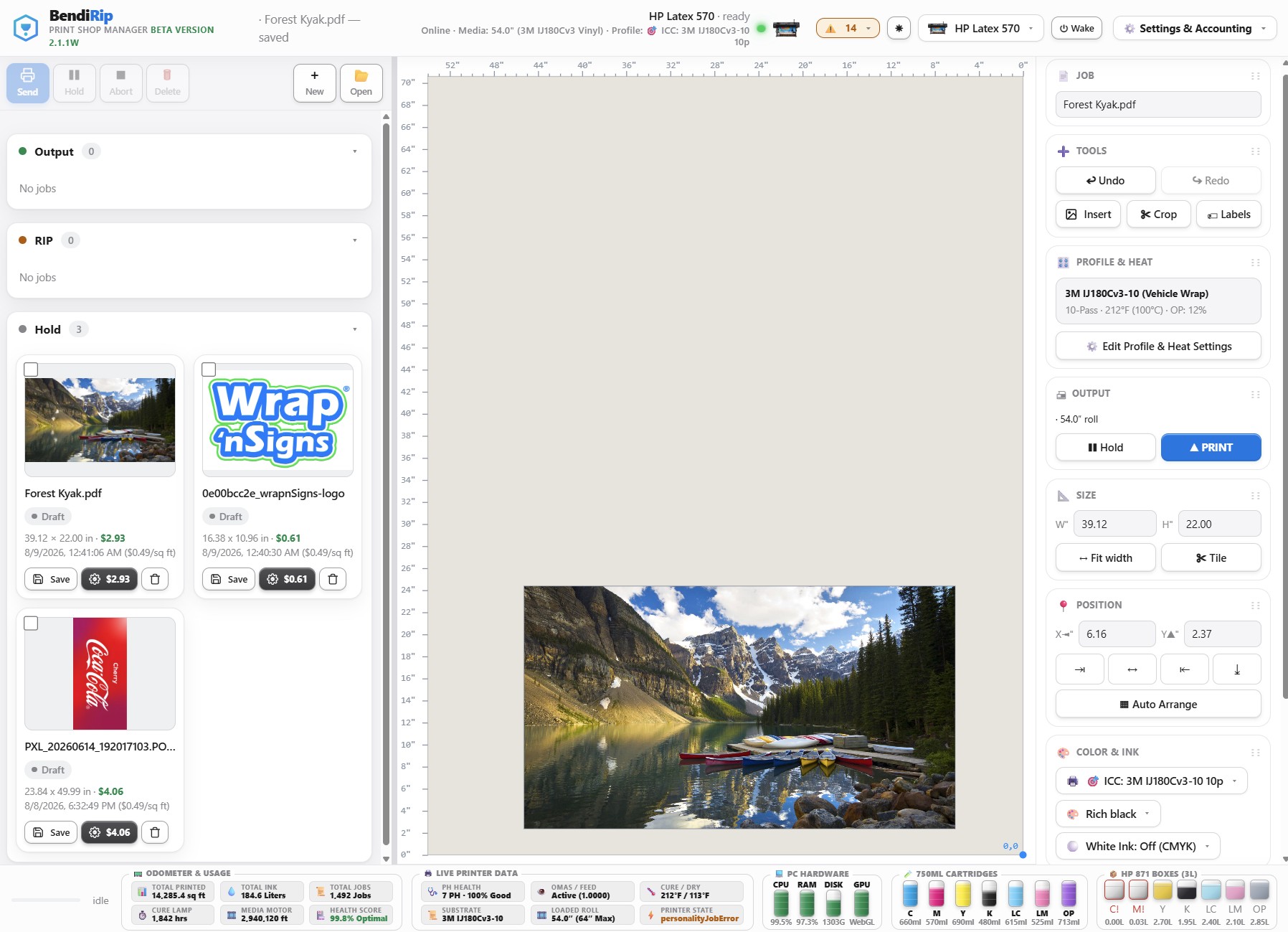
Drag the PDF into BendiRip. Our WebGL preview engine renders the file with exact printhead simulation. Inspect drop shadows, vignettes, and cutlines at 1000% zoom to verify zero clipping boxes.
Click "Print". BendiRip translates the unflattened artwork into device-native raster commands, streaming directly to your HP Latex printer with perfect color fidelity and zero hesitation.
Say Goodbye to Transparency Clipping Errors
Upgrade to BendiRip Suite and print modern PDF/X-4 files with 100% confidence on your HP Latex production line.
Download BendiRip Free Trial →Frequently Asked Questions
1. International Organization for Standardization. ISO 15930-7: Graphic Technology — Prepress Digital Data Exchange — Part 7: Complete Exchange Using PDF (PDF/X-4).
2. Ghent Workgroup (GWG). PDF/X-4 Best Practice Guide for Wide Format and Signage Prepress.
3. Adobe Inc. Adobe PDF Print Engine (APPE) vs. Legacy PostScript RIP Flattening Architecture Whitepaper.
4. Hewlett-Packard Development Company. HP Latex Color Management & Raster Architecture Reference Manual.