
Multi-User Production Manager Workflows over LAN: Zero-Seat-Tax Print Queuing
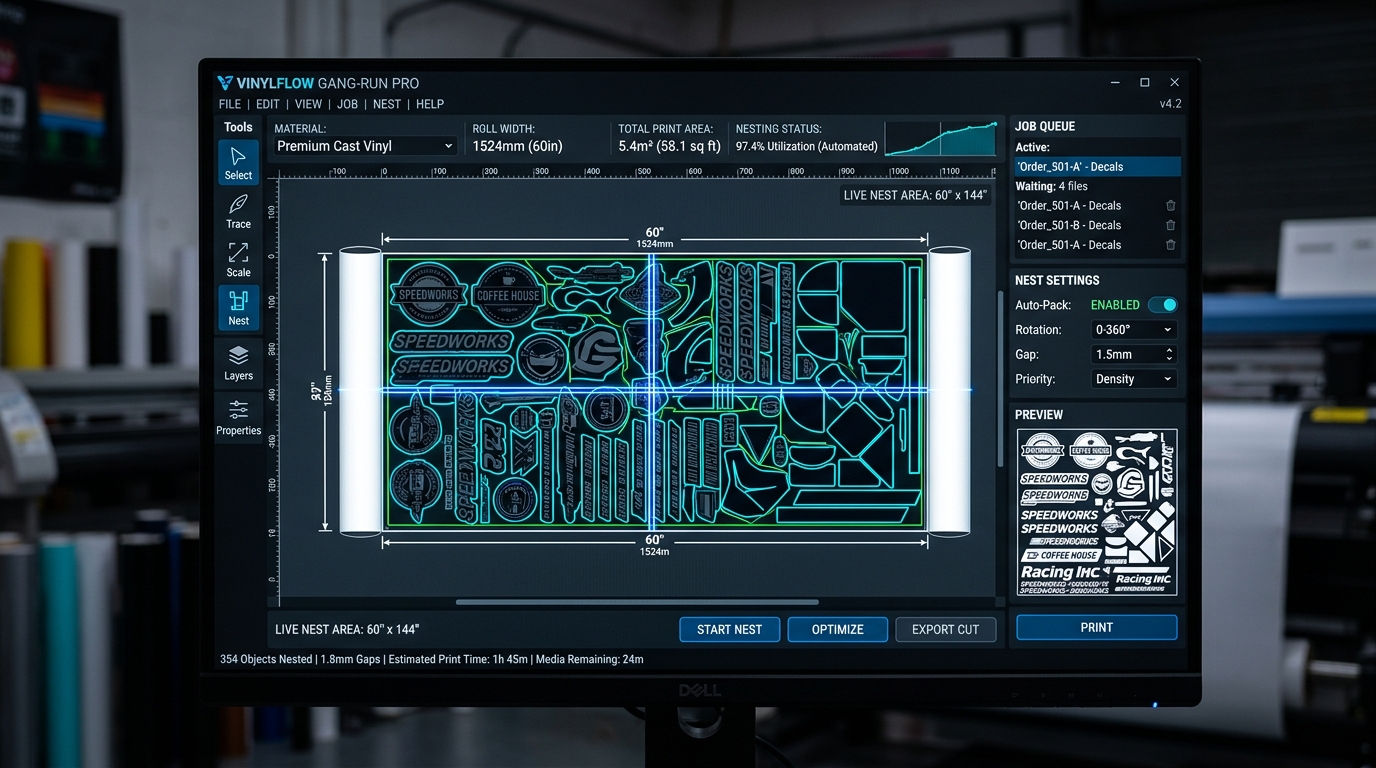
1. The Prepress Disconnect: Designers vs. The Print Room
In a typical commercial sign shop, vehicle wrap company, or wide-format print facility, the physical workflow is divided between two distinct spaces: the front-office design studio (where graphic designers construct client vector files in Adobe Illustrator or Photoshop on MacBooks or iMacs) and the back print floor (where heavy roll-to-roll printers churn out production on dedicated Windows PCs).
Bridging this physical divide has historically been one of the most frustrating bottlenecks in wide-format prepress:
- The Per-Seat Licensing Extortion: Legacy RIP suites (such as SAi FlexiPRINT Production Manager, Onyx Thrive, and Caldera) severely restrict multi-user access. To allow a front-office graphic designer to submit jobs directly to the print queue, vendors charge an extra $35 to $75 per month per client seat, or thousands of dollars for network client dongles.
- The Fragility of SMB Hot Folders: To avoid per-seat fees, shops routinely set up Windows shared network folders (e.g.,
\\RIP-PC\HotFolder_Vinyl\). However, when a designer exports a massive 1.5GB vehicle wrap PDF across the shop Wi-Fi, the RIP frequently begins rasterizing the file before the write operation finishes, triggering corrupt renders, clipped tiles, and wasted rolls of expensive media. - Zero Bidirectional Feedback: Dropping a file into an SMB hot folder is a blind handoff. Designers have zero visibility into remaining roll length, active ink cartridge percentages, current heater temperatures, or queue depth without getting up from their desks and walking across the shop floor.
In facilities relying on physical walk-backs or unmonitored hot folders, prepress designers lose an average of 52 minutes per day walking back and forth to check printer readiness, re-submitting failed transfers, and troubleshooting job priority conflicts.
2. Architectural Comparison: Legacy Hot Folders vs. BendiRip WebGL LAN Queue
BendiRip Suite resolves this friction with a local-first hybrid client-server architecture. The core BendiRip spooler daemon runs on your primary shop Windows PC connected to your HP Latex printers, exposing a high-speed, secure WebSocket and WebGL interface across your local network.
| Workflow & Collaboration Capability | SAi Production Manager / Onyx | BendiRip Suite LAN Architecture |
|---|---|---|
| Multi-Workstation Seat Pricing | $35–$75/mo extra per workstation | Unlimited Workstations (Zero extra fees) |
| Mac & iPad Compatibility | Windows only (or heavy Mac client) | Universal browser access (Mac, PC, iPad, Linux) |
| File Submission Mechanism | Fragile SMB shared hot folders | Direct chunked HTTP/2 upload with checksum verification |
| Live Device Telemetry to Designers | None (blind folder drop) | Real-time sub-second ink, media width & heat status |
| Visual Nesting & Tiling Preview | Must be configured at the RIP PC | Interactive WebGL 2.0 preview from any desk |
| Current Printer Support (Active) | Per-brand paid printer seats | HP Latex 300/500 Series (Others coming soon) |
3. How the BendiRip Local WebGL Queue Operates
Instead of installing gigabytes of proprietary software on every designer’s computer, BendiRip operates identically to modern enterprise web applications—hosted entirely within your private shop network:
- Zero-Configuration Local Server: When you launch BendiRip on your production PC, it initializes a lightweight background service that binds to your local network IP (e.g.,
http://192.168.1.150:8688orhttp://bendirip.local). - Instant Browser Access on Any Device: Designers on MacBooks, iMacs, or secondary Windows PCs open the URL in Chrome, Safari, or Microsoft Edge. There are no client installers, no license dongles, and no VPNs required.
- Direct Drag-and-Drop Spooling: Designers drag PDF/X-4 files directly into the browser window. BendiRip processes the upload in streaming chunks with SHA-256 integrity verification, completely preventing partial-write file corruption.
- Interactive Pre-Flight & True-Shape Nesting: From their own desks, designers can visually inspect cut contour paths, adjust 2-inch panel overlaps for wall murals, position grommets, and rotate decals for optimal media yield using hardware GPU acceleration right in their browser.
4. HP Latex Telemetry Shared Across All Desks
Because BendiRip maintains direct, bidirectional TCP/IP socket connections to your HP Latex printers, critical machine telemetry is broadcast live to every connected workstation on the shop network:
- Roll Width & Remaining Media: Designers see the exact substrate loaded (e.g., Avery MPI 1105 at 53.4 inches remaining roll length measured by HP OMAS sensor), allowing them to size jobs accurately without guessing.
- Curing Zone Readiness: Front-office staff can verify whether the HP Latex curing heater has reached target temperature (e.g., 114°C) before dispatching a rush run.
- Real-Time Ink Depletion Tracking: Operators receive visual warnings if an HP 831 or 871 ink cartridge drops below 10%, preventing mid-panel ink exhaustion on long vehicle wrap runs.
While BendiRip currently delivers active production drivers exclusively for HP Latex hardware, this multi-user LAN workflow is designed to scale across your entire shop floor. Driver packs for Epson SureColor, Roland TrueVIS, and Mimaki are currently in testing and coming soon, ensuring that your entire multi-brand fleet will soon share a single collaborative production queue.
5. 4 Steps to Enable Multi-User LAN Collaboration
Setting up multi-user network sharing in BendiRip takes less than 3 minutes:
Install BendiRip on the Windows PC connected to your HP Latex printers. In Settings → Network Sharing, toggle on "Enable Local Area Network Web Access".
BendiRip displays your local network URL (e.g., http://192.168.1.150:8688). Bookmark this link on your team's design computers, MacBooks, and shop iPads.
Assign permissions if desired: "Designer Mode" allows uploading, pre-flighting, and nesting; "Operator Mode" controls physical print dispatch, heater overrides, and cutter commands.
Designers submit print-ready PDF/X-4 files directly from their desks. Print operators simply review the unified queue at the printer and click "Print" with zero file-transfer friction.
Eliminate Multi-Seat Software Fees Forever
Deploy BendiRip Suite across unlimited workstations on your shop network and experience effortless prepress collaboration.
Download BendiRip Free Trial →Frequently Asked Questions
1. World Wide Web Consortium (W3C). WebSocket Protocol and WebGL 2.0 Graphics Specification.
2. Specialty Graphic Imaging Association (SGIA). Prepress Workflow Automation and Network Bottlenecks in Commercial Print Facilities.
3. Hewlett-Packard Development Company. HP Latex Network Configuration and Raw Socket Port Reference Manual.
4. SA International (SAi). Production Manager Multi-Seat Client Licensing Guide.