
Mimaki RasterLink 7 vs. BendiRip Comparison: Anti-Banding & Multi-Brand Fleet Control
1. The Strengths and Structural Boundaries of Mimaki RasterLink 7
Mimaki Engineering is renowned for building rugged, versatile printing hardware. From the high-speed CJV300 / CJV330 integrated print-and-cut series and JV100-160 eco-solvent lines to the industrial UJV100 and JFX200 / JFX600 UV-LED flatbeds, Mimaki machinery delivers robust industrial performance across diverse substrates.
Bundled with these printers is Mimaki RasterLink 7. Powered by the Harlequin RIP core, RasterLink 7 provides solid color fidelity and deep hardware integration for Mimaki-exclusive features, most notably MAPS4 (Mimaki Advanced Pass System 4). MAPS4 feathers the boundaries between carriage swaths with a gradient dot pattern to suppress horizontal banding caused by slight mechanical feed drift or minor nozzle misfires.
Yet, as commercial sign shops scale into multi-device operations, RasterLink 7 presents several critical operational roadblocks:
- The Single-Brand Silo: RasterLink 7 refuses to connect to or spool jobs for any non-Mimaki hardware. If your shop adds an HP Latex 570 for rapid vehicle wraps, an Epson S80600 for wide-gamut branding, or a standalone Graphtec FC9000 cutter, RasterLink 7 cannot participate in your shop floor workflow.
- The "FineCut" Plugin Dependency: In RasterLink, contour cutting workflows rely heavily on Mimaki FineCut, a proprietary plugin for Adobe Illustrator or CorelDRAW. Whenever Adobe updates Creative Cloud or an operating system patch alters COM dependencies, FineCut frequently breaks, preventing prepress designers from generating cut paths until Mimaki issues a plugin patch.
- Rigid Windows Desktop Binding: RasterLink 7 must be installed locally on a single Windows PC. Prepress operators cannot easily view queues, rearrange tiles, or monitor ink consumption from Mac design workstations or tablets without using clunky remote desktop sessions.
Prepress managers report that Adobe Illustrator annual version updates frequently cause compatibility lockouts with legacy FineCut 8/9 plugins, halting print-and-cut production while designers scramble to install legacy Illustrator versions or apply manual patches.
2. Head-to-Head Comparison: RasterLink 7 vs. BendiRip Suite
BendiRip Suite bridges the gap between Mimaki's industrial hardware capabilities and modern, agile print shop workflows. It natively drives Mimaki hardware while seamlessly integrating with equipment from HP, Epson, Roland, and Summa.
| Production Capability | Mimaki RasterLink 7 | BendiRip Suite |
|---|---|---|
| Multi-Brand Fleet Spooling | Mimaki hardware only (locked) | Universal (Mimaki, HP Latex, Epson, Roland) |
| Anti-Banding Pass Feathering | Proprietary MAPS4 dither | Universal Gradient Pass Stitching (zero banding) |
| Contour Cut Generation | Requires Illustrator FineCut plugin | BendiCut built-in (direct vector layer auto-cut) |
| Barcode Automation (ID Cut) | Mimaki ID Cut via FineCut barcodes | Universal Barcode & OPOS registration engine |
| UV White & Clear 2.5D Embossing | Manual multi-layer job stacking | Dynamic 2.5D texture & gloss choke generator |
| LAN Workstation Accessibility | Single Windows PC desktop software | Unlimited Mac/PC web browser access on LAN |
| True-Shape Nesting Efficiency | Basic rectangular bounding boxes | Polygonal true-shape nesting with auto-bleed |
| Licensing & Seat Model | Bundled (Mimaki only); extra seats $$ | Perpetual lifetime license; unlimited printers |
3. Anti-Banding Technology: Gradient Pass Stitching
The primary reason print shops tolerate RasterLink 7 is MAPS4. When printing on heavy banners or heat-sensitive cast vinyl, the slightest media feed advancement discrepancy (even 0.02mm) creates either a dark overlap line or a white gap between passes.
BendiRip incorporates an advanced Gradient Pass Stitching algorithm that matches and expands upon this capability:
- Dynamic Swath Boundary Feathering: Rather than terminating carriage raster swaths with a sharp linear boundary, BendiRip applies a sinusoidal stochastic dither along the top and bottom 15% of each print pass.
- Substrate Advance Dynamic Compensation: By factoring in vinyl expansion under heated platen zones, BendiRip calculates micro-step compensation curves, blending adjacent passes seamlessly even at rapid 4-pass and 6-pass commercial speeds.
- Zero Speed Penalty: Unlike RasterLink, where activating aggressive MAPS settings can throttle carriage speed by up to 18%, BendiRip's GPU-calculated pass stitching processes in real time without reducing carriage transit frequency.
4. BendiCut: Eliminating the Illustrator FineCut Barrier
In a standard Mimaki print-and-cut workflow (e.g., on a CJV300 or pairing a JV300 with a CG-FXII Plus plotter), designers must construct separate spot swatches named "CutContour" and launch the FineCut plugin inside Adobe Illustrator to generate registration marks and Mimaki ID Cut barcodes.
BendiCut replaces this cumbersome workflow with complete automation:
- Native Vector Layer Detection: Submit standard PDF/X-4 files directly from Illustrator, CorelDRAW, InDesign, or Affinity Designer. BendiCut automatically recognizes vector strokes on cut layers regardless of stroke naming conventions.
- Half-Cut Perforations with Custom Bridges: Configure die-cut decal packaging directly in the RIP interface. Set kiss-cut pressure for the vinyl layer and thru-cut pressure with micro-tabs (0.4mm tabs every 25mm) for the backing liner in a single automated job pass.
- Integrated Barcode Tracking: BendiCut automatically prints 1D Code 39 or QR registration barcodes alongside your artwork. When loading the roll onto your Mimaki cutter or standalone Summa/Graphtec plotter, the optical sensor reads the barcode and instantly pulls the corresponding cut file from the network.
5. Quick-Start Guide: Connecting Your Mimaki to BendiRip
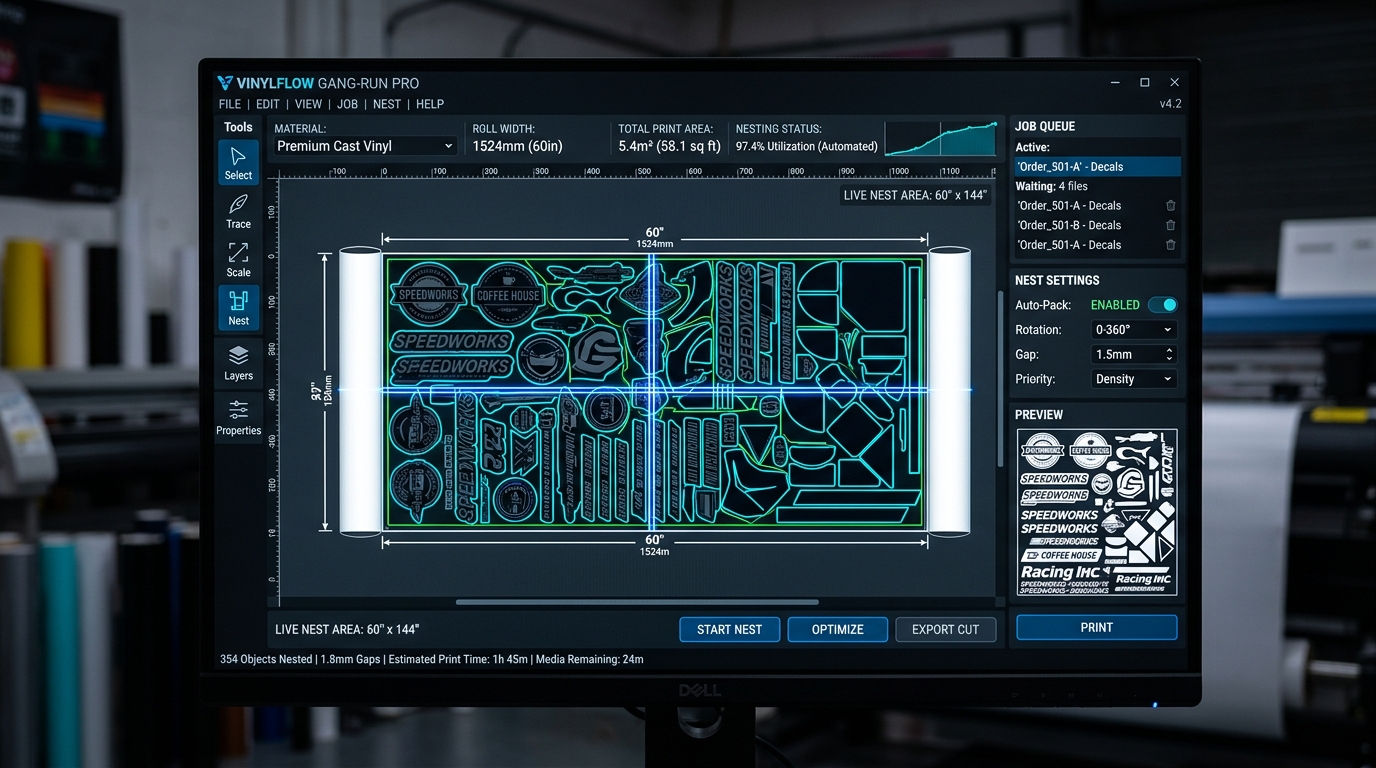
Transitioning your Mimaki roll-to-roll or flatbed printer to BendiRip is accomplished in four simple steps:
Set a static IP on your Mimaki CJV, JV, or UJV printer. In BendiRip, select Add Device → Mimaki Engine Driver and enter the IP address. BendiRip connects via raw Ethernet socket and initializes real-time device telemetry.
Import your existing Mimaki media profiles (.ICC) or download industry-standard profiles for Oracal, 3M, and Avery substrates. BendiRip applies 16-bit color transforms via LittleCMS 2.16 with zero recalibration needed.
Select your print speed mode (4-pass draft, 6-pass production, or 8-pass high quality). Set platen heater targets (typically 40°C platen and 45°C post-heater for SS21 eco-solvent inks). BendiRip synchronizes thermal readiness automatically.
Prepress operators can now drag and drop production jobs directly into BendiRip from any computer on your shop network. Dispatch vehicle wraps to your HP Latex and decal gang sheets to your Mimaki CJV simultaneously from one screen.
Unify Your Mimaki Workflow with BendiRip
Eliminate FineCut plugin crashes, gain universal multi-brand fleet control, and enjoy flawless anti-banding pass stitching.
Download BendiRip Suite Free Trial →Frequently Asked Questions
1. Mimaki Engineering Co., Ltd. RasterLink 7 Reference Guide & Harlequin RIP Core Architecture (2024).
2. Mimaki Engineering Co., Ltd. MAPS4 (Mimaki Advanced Pass System) Whitepaper.
3. Specialty Graphic Imaging Association (SGIA). Banding Mitigation in Piezoelectric Wide-Format Inkjet Printing.
4. International Color Consortium. ICC Profile Specification v4.3.0.0.