
FlexiCUT & Onyx CutServer Alternative: Free Integrated BendiCut Engine
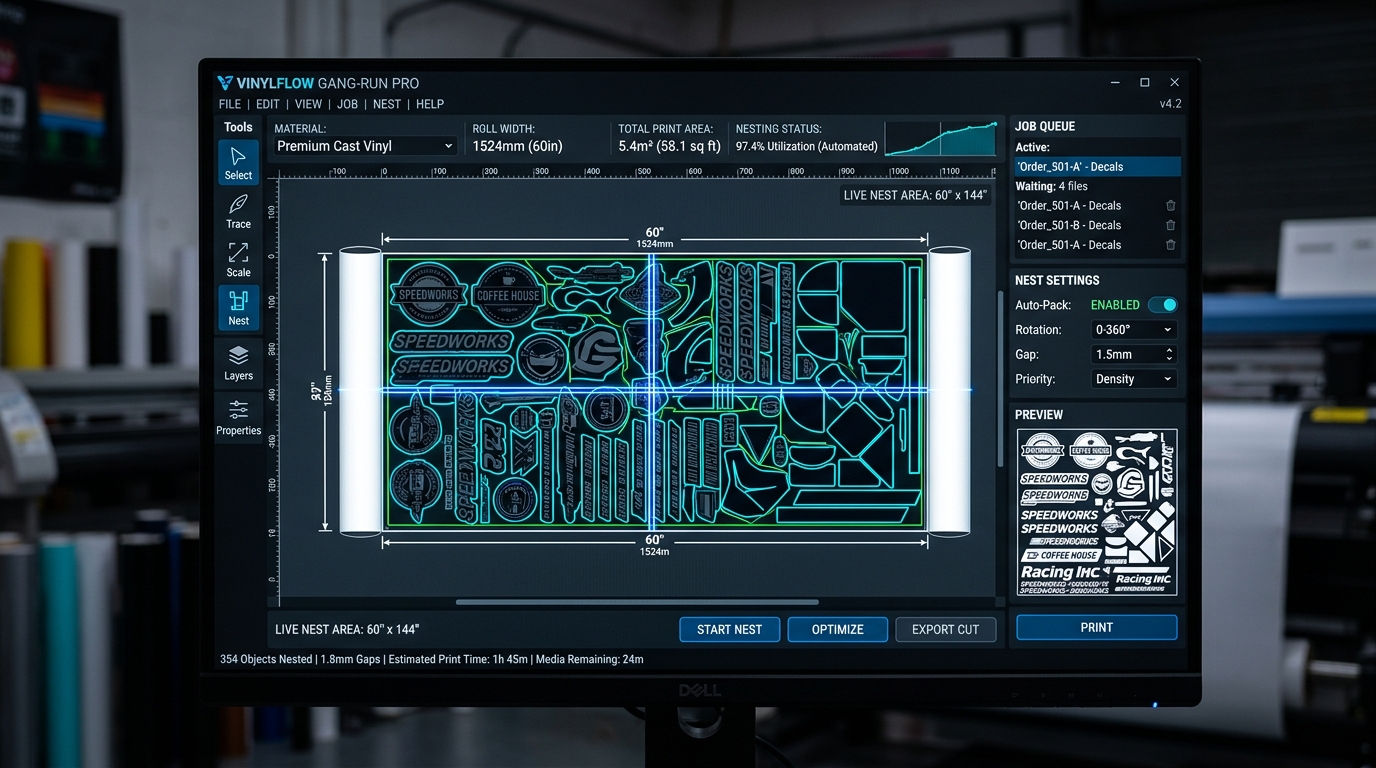
1. The "Cut Module" Tax in Legacy Prepress Suites
In a modern commercial sign and graphics shop, contour cutting is not an optional luxury—it is fundamental to daily revenue. Whether producing die-cut vinyl stickers, vehicle magnetics, heat-transfer apparel vinyl, window lettering, or packaging prototypes, print and cut are two halves of the same production process.
Yet, the legacy RIP software cartel has historically treated cutting as an expensive upsell:
- The Flexi Tier Squeeze: If a shop purchases a standard FlexiPRINT license to drive their wide-format printer, SA International blocks contour cutting output. To drive a vinyl cutter, the shop is forced to upgrade to the top-tier FlexiSIGN & PRINT subscription ($89.99/mo) or purchase auxiliary FlexiCUT seat licenses.
- The Onyx CutServer Surcharge: Onyx Thrive and ProductionHouse sell Onyx CutServer as an expensive modular option. Adding support for a high-end Summa or Graphtec cutter frequently adds $1,500 to $2,500 to the upfront invoice plus recurring annual maintenance charges.
- Proprietary Plugin Lock-In: Hardware-bundled tools like Roland VersaWorks and Mimaki RasterLink only support their own brand's cutters and demand fragile Adobe Illustrator plugins (such as Mimaki FineCut) that break whenever Creative Cloud updates.
A vinyl cutter is fundamentally a 2-axis CNC plotter executing simple vector vector-stroke commands (Pen Up, Pen Down, Move To X/Y). Charging $500–$2,000+ for a RIP plugin to send HP-GL or GP-GL coordinate vectors over an RS-232, USB, or Ethernet socket is pure vendor rent-seeking.
2. BendiCut Architecture: Complete Freedom & Universal Hardware Control
BendiCut is built directly into every edition of BendiRip Suite at zero additional cost. There are no monthly cut-seat charges, no per-cutter activation fees, and no artificial restrictions on cutter models.
| Cutting & Finishing Capability | SAi FlexiCUT / FlexiSIGN | Onyx CutServer Module | BendiCut Suite |
|---|---|---|---|
| Software Cost | $79.99–$89.99/month recurring | $1,500–$2,500+ modular add-on | 100% Free (Included with BendiRip) |
| Cutter Device Limit | Restricted by license tier | Per-seat license fees | Unlimited Cutters on LAN |
| Optical Mark Protocols | Proprietary Flexi marks / ARMS | Standard 4-point / OPOS | Universal: OPOS-X, OPOS-CAM, ARMS 8.0, PNC |
| Automated Barcode Workflow | Available only in premium tier | Add-on barcode module | Native 1D Code 39 & QR Auto-Lookup |
| Dual-Action Toolpaths | Manual layer assignment | Complex color mapping | Automated Kiss-Cut + Perf-Cut with Micro-Tabs |
| Dynamic Bleed Generation | Manual Illustrator setup required | Basic pixel clone | Intelligent 2–5mm Edge Extrapolation |
| True-Shape Nesting Efficiency | Rectangular bounding box | Basic shape nesting | Polygonal True-Shape with 360° Rotation |
3. The Mechanics of Precision Cutting: Dual-Action Toolpaths & Micro-Tabs
For sticker manufacturers and packaging prototype designers, producing "crack-and-peel" or retail "die-cut" sticker packs requires two distinct blade operations on the same roll:
- Kiss-Cut (Contour Line): The blade slices through the printed vinyl and adhesive layer (typically 60–90 grams of blade downforce) while leaving the silicone release liner completely intact.
- Perf-Cut / Thru-Cut (Die-Cut Outer Border): The blade penetrates through both the vinyl and the backing paper (typically 220–350 grams of downforce), cutting out the finished individual sticker.
In legacy RIPs, thru-cutting frequently jams friction-feed cutters because cut pieces pop out of the web and lodge under the pinch rollers.
BendiCut solves this with Intelligent Micro-Bridge Tabs: Prepress technicians can configure customizable tabs (e.g., 0.5mm un-cut bridges spaced every 35mm around the perimeter). The decal remains securely anchored to the carrier sheet while traversing back and forth through the plotter at 40 inches per second, then cleanly "punches out" by hand during packaging.
4. Unattended Barcode Automation: OPOS & ARMS Integration
In high-volume sign production, manually matching a printed vinyl roll on the cutter to its corresponding cut file on a computer desktop wastes billable labor and invites costly human error (e.g., cutting Job #104 using the cut file for Job #102, destroying $200 worth of printed media).
BendiCut's Automated Optical Barcode Pipeline:
- Barcode Injection: When BendiRip spools a print job to an HP Latex, Epson SureColor, Roland, or Mimaki printer, BendiCut automatically renders an optical registration frame (ARMS 8.0 or OPOS marks) alongside an encoded 1D Code 39 or 2D DataMatrix barcode at the leading edge of each tile.
- Zero-Touch Optical Sensing: The operator takes the printed roll off the printer, mounts it on the cutter (e.g., Summa S Class 3 or Graphtec FC9000), drops the pinch rollers, and positions the optical sensor over the leading mark.
- Automated Network Pull: The cutter's optical eye reads the barcode and transmits the job ID back to BendiCut over Ethernet or USB. BendiCut instantaneously pulls the exact vector cut file from the server, compensates for media stretch and skew, and executes cutting automatically.
5. 4-Step Setup: Driving Cutters in BendiCut
Adding your existing vinyl cutters to BendiCut takes under 5 minutes:
In BendiRip, open the BendiCut Finishing Manager. Select your cutter model (Graphtec FC/CE, Summa S-Class/SummaCut, Roland CAMM-1, or Mimaki CG) and connection type (LAN TCP socket, USB virtual COM, or RS-232 serial).
Select your optical sensor protocol: Summa OPOS / OPOS-CAM, Graphtec ARMS 8.0, Roland 3-Point/4-Point, or flatbed camera registration. BendiCut automatically computes optimal mark sizing and margin offsets.
Drop your artwork into the job editor. BendiCut automatically maps vector strokes to cutting tools: Tool 1 for Kiss-Cut (80g force, 30cm/s speed) and Tool 2 / FlexCut for Perforation (280g force, 0.4mm micro-tabs).
Click "Print & Cut". BendiRip spools the raster artwork with embedded registration marks to your printer while caching the vector cutpaths in the BendiCut queue, ready for instant barcode retrieval at the cutter.
Stop Paying for Separate Cutting Software
Upgrade to BendiRip Suite and get enterprise-grade BendiCut contour cutting, OPOS barcode automation, and true-shape nesting 100% free.
Download BendiRip & BendiCut Suite →Frequently Asked Questions
1. Graphtec Corporation. ARMS (Advanced Registration Mark Sensing System) Technical Manual (2024).
2. Summa NV. OPOS (Optical Positioning System) & Barcode Automation Reference Guide.
3. International Organization for Standardization. ISO/IEC 15417: Information Technology — Automatic Identification — Code 128 / Code 39 Barcode Specification.
4. SA International (SAi). FlexiPRINT & FlexiCUT Feature Matrix and Add-On Pricing Documentation.