
2026 Buyer's Guide: Best Commercial Wide-Format RIP Software
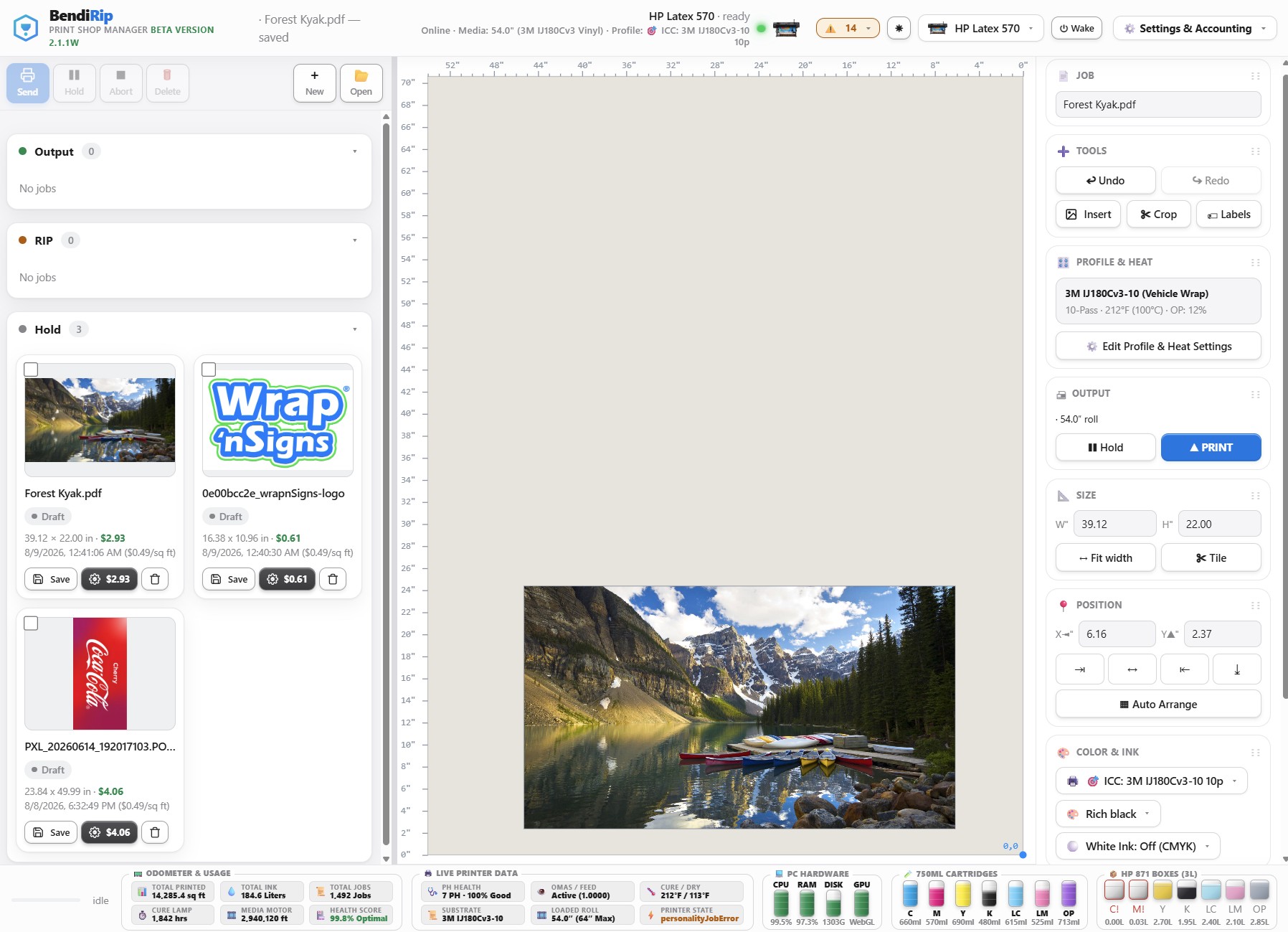
1. Executive Summary: The Changing Landscape of Prepress Software
In 2026, wide-format inkjet hardware has achieved unprecedented engineering maturity. Whether operating thermal aqueous HP Latex lines, piezoelectric Epson PrecisionCore engines, or UV-LED flatbeds, today's printheads fire tens of thousands of droplets per second with sub-micron placement accuracy.
However, the software driving this hardware has largely failed to evolve at the same pace. The commercial RIP market remains dominated by aging legacy software platforms conceived in the 1990s and 2000s. These platforms have encumbered commercial print shop owners with:
- Aggressive SaaS Subscriptions: Forcing shops to rent software indefinitely, draining cash flow and locking production history behind paywalls.
- Per-Printer "Seat Taxes": Penalizing shops for adding production hardware by demanding additional monthly or modular fees for every new printhead.
- Fragile Physical USB Dongles: Exposing high-stakes production lines to hardware breakage, driver BSODs, and exorbitant replacement fees.
- Single-Core CPU Spoolers: Stranding expensive 16-core host computers and modern GPUs while single-threaded rasterizers struggle to process complex PDF/X-4 transparencies.
This comprehensive 2026 Buyer's Guide evaluates the four leading commercial wide-format RIP platforms across seven critical production categories: BendiRip Suite, SAi FlexiPRINT & Production Manager, Onyx Thrive & ProductionHouse, and Caldera RIP.
Marketing brochures emphasize abstract spectrophotometer algorithms, but commercial print shops survive on practical metrics: rasterization throughput, software stability, 5-year total cost of ownership, multi-user accessibility, and integrated contour finishing.
2. Comprehensive 2026 Commercial RIP Comparison Matrix
The table below provides a detailed side-by-side technical and economic audit of the four major RIP platforms:
| Evaluation Category | BendiRip Suite | SAi FlexiPRINT | Onyx Thrive | Caldera RIP |
|---|---|---|---|---|
| Licensing Model | Perpetual Lifetime ($699 one-time) | Subscription ($69–$139/mo) | Perpetual ($3,500+) + SMA | Subscription / High Modular |
| 5-Year Total Cost (2 Printers) | $699 One-Time (0 ongoing) | $8,400–$9,500+ | $7,500–$12,000+ | $8,000–$14,000+ |
| Active Supported Hardware | HP Latex 300/500/600/700/800 Epson, Roland, Mimaki |
Multi-Brand (Paid Seats) | Multi-Brand (Modular Packs) | Multi-Brand (Modular Packs) |
| Raster Engine Tech | 64-bit WebGL 2.0 GPU Shaders | 32-bit Single-Core CPU | APPE Multi-Process CPU | APPE 64-bit Multi-Threaded |
| PDF/X-4 Transparencies | 100% Native Unflattened | Internal flattening pass | Native APPE compositing | Native APPE compositing |
| Contour Cutting Engine | BendiCut Included 100% Free | Requires FlexiSIGN/FlexiCUT | Onyx CutServer ($1,500+ add-on) | VisualCut ($1,000+ add-on) |
| Hardware Key / Dongle | Zero Dongles (Cloud Token) | Cloud ID / Periodic Ping | Physical USB HASP Key | Linux Host ID / Dongle |
| LAN Multi-Device Queuing | Native WebGL Browser Queue | Shared Hot Folders / Extra Seats | Thrive Network Clients ($$$) | Caldera Client-Server (X11) |
| Host OS Requirements | Windows 10/11 (Lightweight) | Windows 10/11 | Windows 10/11 Server | Linux (Debian/Ubuntu) or macOS |
3. In-Depth Platform Analysis
1. BendiRip Suite: The Modern Commercial Contender
Best For: High-speed commercial sign shops, wrap installers, and print-for-pay facilities operating HP Latex lines who want to permanently eliminate monthly software debt, broken USB dongles, and slow rasterization.
- Key Strengths: BendiRip delivers modern 64-bit GPU acceleration via WebGL 2.0 fragment shaders, rendering complex PDF/X-4 vehicle wraps up to 3.4x faster than Flexi. Its integrated BendiCut finishing engine includes native OPOS and ARMS barcode automation, kiss-cuts, and perf-cuts for Summa and Graphtec cutters completely free. Its browser-based LAN architecture allows Mac and PC designers to access queues without per-seat fees.
- Current Scope & Roadmap: BendiRip currently provides active, production-ready drivers specifically for HP Latex printers (315, 335, 365, 560, 570). The HP Latex 600, 700 and 800 series (including W models) use HP's newer EH-PDL job language and are not yet supported; sending is disabled for them until the format is captured. Native driver modules for Epson SureColor, Roland TrueVIS, and Mimaki printers are currently in development and coming soon.
2. SAi FlexiPRINT & Production Manager
Best For: Traditional sign shops heavily invested in Flexi’s proprietary vector design environment (`.fs` files) who do not mind paying permanent monthly subscription fees.
- Key Strengths: Long established brand recognition and built-in sign-making design tools.
- Drawbacks: Expensive subscription lock-in ($80–$140/mo per seat), per-printer add-on taxes, aging 32-bit single-threaded spooler architecture, and frequent transparency clipping issues on modern PDF/X-4 files.
3. Onyx Graphics (Thrive & ProductionHouse)
Best For: Large enterprise graphics houses with dedicated IT departments and substantial capital budgets requiring G7-certified digital press color proofing.
- Key Strengths: Robust Adobe PDF Print Engine (APPE) color management and excellent spot color matching libraries.
- Drawbacks: Exorbitant upfront pricing ($3,500 to $8,000+), vulnerable physical USB dongles, costly annual Software Maintenance Agreements (SMA), and paid add-ons for CutServer and additional printer ports.
4. Caldera RIP (CalderaRIP / GrandCut)
Best For: Industrial grand-format facilities running 5-meter billboard presses on dedicated Linux server infrastructure.
- Key Strengths: Superb grand-format tiling, double-sided banner welding controls, and reliable Linux server stability.
- Drawbacks: Demands dedicated Linux system administration, lacks native Windows deployment, complex multi-tier modular licensing, and steep ongoing maintenance costs.
4. Hardware Strategy: Driving HP Latex Today, Multi-Brand Soon
A key consideration for commercial print shop owners evaluating BendiRip is hardware compatibility:
- Active HP Latex Production: BendiRip is engineered from the ground up to unlock the full potential of HP Latex technology. With direct raw TCP socket streaming, real-time platen curing heater synchronization (100°C–116°C), HP Latex Optimizer calibration, and OMAS roll tracking, BendiRip provides an unrivaled production experience for HP Latex 300 and 500 series owners today.
- The Multi-Brand Horizon (Coming Soon): Print shops operating mixed equipment do not have to wait long. Our engineering roadmap includes native driver packs for Epson SureColor S-Series, Roland TrueVIS, and Mimaki CJV/JV lines, ensuring that BendiRip will soon provide unified fleet control across your entire shop floor.
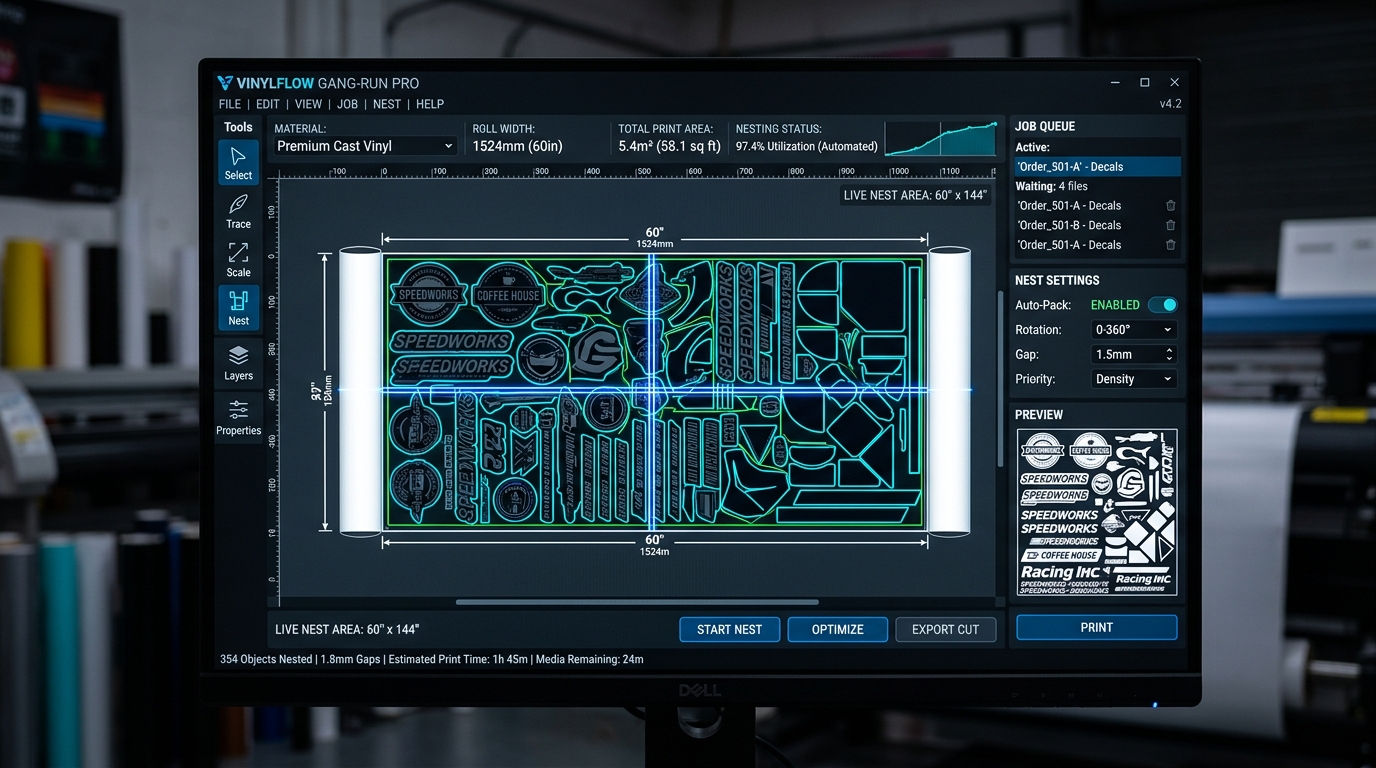
5. 4-Step Selection Framework: Choosing Your 2026 RIP
Before signing another multi-year software lease, walk through this 4-step decision audit:
Multiply your monthly subscription charges and maintenance fees by 60 months. Factor in printer seat add-on taxes. If your total exceeds $4,000, you are bleeding capital on software rental.
If your production backbone includes HP Latex printers, BendiRip delivers instant speed, reliability, and cost savings today. If you run mixed hardware, prepare your prepress pipeline for upcoming multi-brand driver packs.
Replace fragile USB dongles with cryptographic digital tokens to prevent catastrophic production stoppages and expensive replacement fees.
Benchmark your largest vehicle wrap files. If your current RIP takes over 4 minutes to rasterize a 20-foot panel, upgrade to GPU-accelerated WebGL fragment shaders.
Modernize Your Prepress Workflow in 2026
Experience ultra-fast GPU rasterization, free BendiCut finishing, and perpetual lifetime ownership with BendiRip Suite.
Download BendiRip Suite Free Trial →Frequently Asked Questions
1. Specialty Graphic Imaging Association (SGIA) / PRINTING United Alliance. 2025–2026 Wide-Format Technology and Software Expenditures Study.
2. International Organization for Standardization. ISO 15930-7: Graphic Technology — PDF/X-4.
3. International Color Consortium. ICC Profile Specification v4.3.0.0.
4. Marti Maria. LittleCMS 2.16 Open Source Color Engine Architecture Documentation.